PLAYER HELP CENTREWatch AiPLAY Highlights on Mobile
This help centre organises the most common AiPLAY tasks into plain-language checklists. Interface labels can change, so always confirm the latest instructions inside the official platform.
GUIDE 01Mobile page not loading
Check the connection, update the browser, verify the URL and avoid repeatedly refreshing or installing unknown files.
- Confirm the current page and account status
- Follow the latest interface step by step
- Review details before submitting
GUIDE 02Finding the credit summary
Open the account menu and locate the credit or wallet summary to review available balances.
- Confirm the current page and account status
- Follow the latest interface step by step
- Review details before submitting
GUIDE 03Transferring credit
From the credit summary, use a supported transfer function and confirm the source and destination wallet.
- Confirm the current page and account status
- Follow the latest interface step by step
- Review details before submitting
GUIDE 04Understanding turnover reset
Read the displayed turnover instructions before starting a new cycle or after meeting a campaign requirement.
- Confirm the current page and account status
- Follow the latest interface step by step
- Review details before submitting
GUIDE 05Checking downline rebate
After signing in, check Profile and Invite for the rebate options available to your account.
- Confirm the current page and account status
- Follow the latest interface step by step
- Review details before submitting
GUIDE 06Before a deposit or withdrawal
Verify the method, amount, destination details, processing status and current platform notices.
- Confirm the current page and account status
- Follow the latest interface step by step
- Review details before submitting
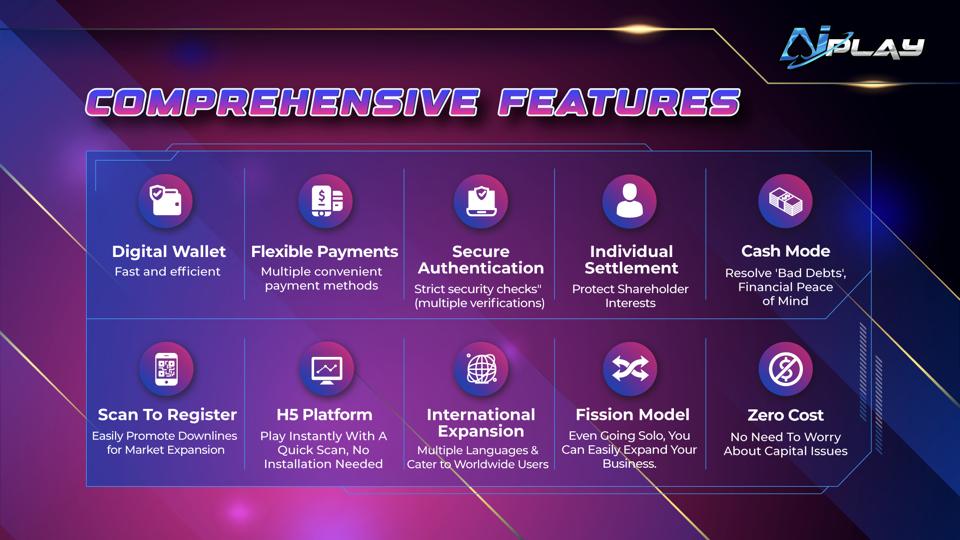
FEATURE OVERVIEWWallet, authentication and H5 access
AiPLAY supports wallet features, secure authentication and H5 browser access. Availability can vary by account and region.